How to Prepare for AV Site Surveys Properly
A meeting room can look ready until installers find no nearby power socket, weak Wi-Fi or no route for cables. To prepare for AV site surveys, confirm how the room is used, who controls the building, and what infrastructure is already in place before equipment is selected.
What happens during an AV site survey?
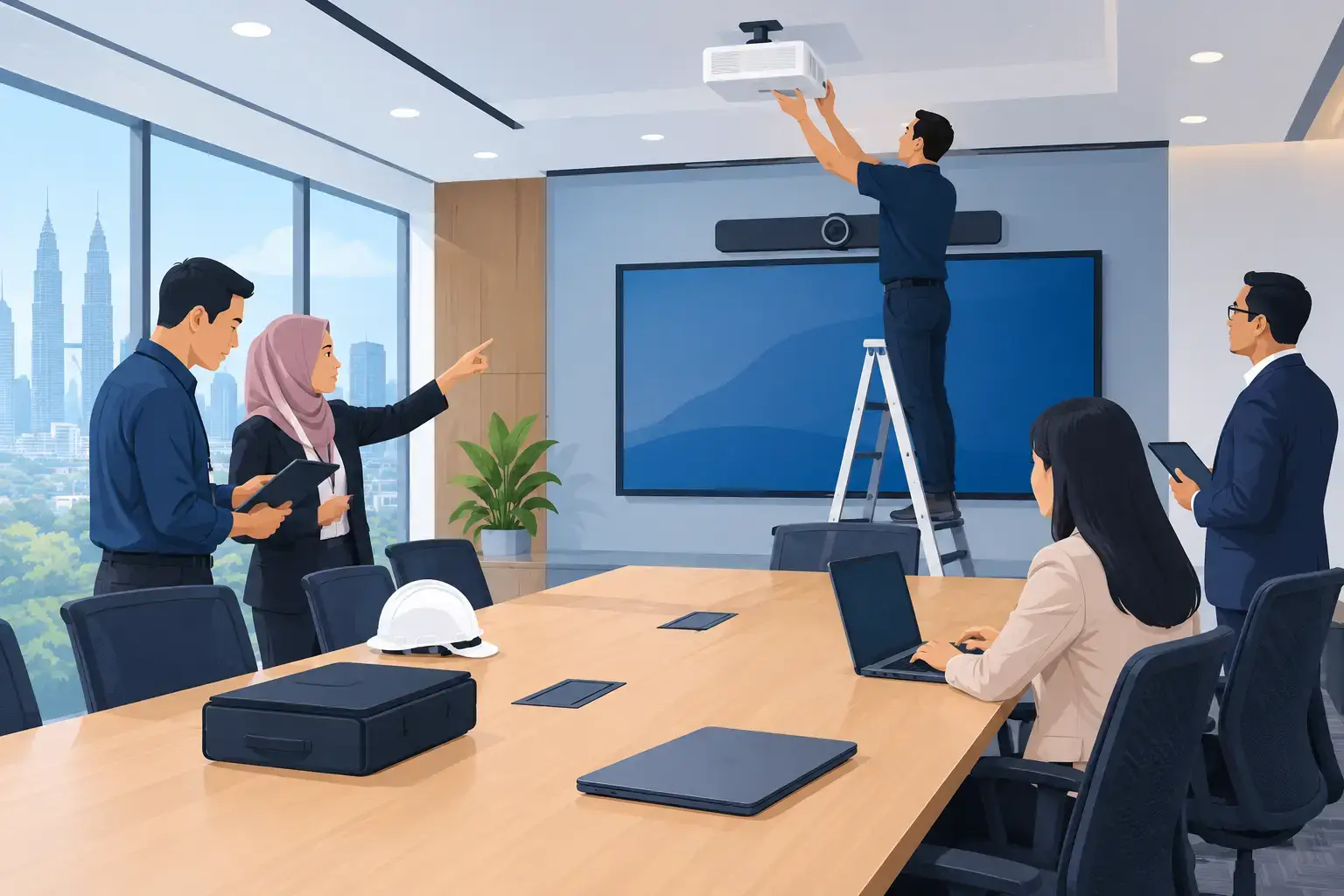
An AV site survey is a practical check of the room before an audio-visual installation is planned. It prevents a video conferencing camera from facing a bright window, an interactive flat panel display (IFPD) from being fitted at the wrong height, or an LED display from being specified without confirming wall strength and electrical supply.
The surveyor measures the room, views it from where people sit, checks the condition of walls and ceilings, and identifies where cables can run. They also ask how staff will use the space. A boardroom used by 10 people for Microsoft Teams calls needs different planning from a training room where 40 participants need to see and write on an 86-inch IFPD.
For Malaysian offices, schools and GLCs, access is often as important as the technology. A site team may need building management approval, loading-bay booking, lift access and permission for after-hours work. Raise these points early, especially in Kuala Lumpur high-rise buildings where delivery and contractor access are tightly controlled.
What should you prepare before an AV site survey?
Start with the room purpose, not a product wish list. Tell the Office Solutions Specialist whether the space is for daily team meetings, hybrid interviews, staff training, town halls, reception messaging or classroom teaching. This makes it easier to recommend the right screen size, camera position, speaker coverage and control method.
Bring a simple floor plan if you have one. It does not need to be a polished drawing. A marked-up layout showing tables, chairs, windows, doors and the proposed display wall is enough to start a useful conversation. Include the usual seating position, because viewing distance matters more than the room's total square footage.
Also nominate someone who knows the building and someone who knows the network. Facilities can answer questions about drilling, concealed services, electrical work and access. IT can confirm network ports, Wi-Fi coverage, VLAN requirements and whether Zoom or Microsoft Teams Rooms will be used. If these people cannot attend, collect their answers before the visit.
Check the room, power and network first
A good survey considers the whole room, not only the wall where the display will go. The points below are where late changes usually begin.
| Area to check | What the survey needs to confirm | Why it affects the installation |
|---|---|---|
| Display wall | Wall material, width, height and nearby windows | Determines suitable screen size, mounting method and viewing comfort |
| Power supply | Socket location, circuit capacity and whether new points are permitted | Avoids visible extension leads and unplanned electrical work |
| Network | Wired LAN availability, Wi-Fi strength and IT security requirements | Supports stable video calls, screen sharing and device management |
| Lighting | Glare from windows, downlights and reflective surfaces | Keeps content readable and cameras clear during calls |
| Cable route | Ceiling, trunking, floor box or furniture routes | Keeps the room tidy and allows equipment to be serviced later |
| Access | Loading bay, lift size, parking and work-hour restrictions | Helps the delivery and installation team arrive with the right plan |
Power should be close to the equipment, but it must also be safe and approved for the site. A large IFPD, video bar and room controller may need more than one connection point. For an LED display, power planning is even more critical because the display layout, controller and supporting equipment all need to be considered together.
Network planning depends on the system. A basic presentation display may only need internet access for updates. A dedicated Teams or Zoom room may require wired connectivity, a specific network configuration and coordination with the organisation's IT policies. Do not assume the meeting-room Wi-Fi will be sufficient just because mobile phones connect without difficulty.
How do you choose the right screen size and position?
Screen size should follow viewing distance and the type of material people need to read. An 65-inch display may suit a small huddle room, while an 75-inch or 86-inch IFPD is often more practical for a larger meeting or training room. The survey checks whether everyone, including those at the back and sides, can see spreadsheet text, presentations and video participants comfortably.
Mounting height also changes the experience. Put a display too high and staff spend every meeting looking upwards. Put it too low and a table, camera or seated participants may block the view. For an IFPD, the team should also consider who will write on it. A training room used by people of different heights needs a sensible touch height, not simply the highest available wall position.
Windows need careful thought. Daylight is welcome, but direct sunlight can create glare and make a camera expose faces poorly. Blinds, display position and camera angle may solve the issue without changing the room. In some cases, moving the screen to another wall is the lower-cost decision.
What access details can delay installation?
Many projects are technically straightforward but operationally difficult. Building management may require contractor registration, insurance documents, a work permit, safety induction or a restricted work slot. A lorry may need a booked loading bay, while a large display may not fit into a passenger lift.
Tell the surveyor about any restricted dates, public-facing areas, school operating hours or confidential departments nearby. For healthcare and education sites, noise, dust control and student or patient movement may affect the installation sequence.
If the proposed room is still under renovation, be realistic about the handover date. AV equipment should not be installed while painting, ceiling works or dusty drilling continues around it. It may be better to complete the first survey early, then schedule a short final check before delivery if the layout or services are likely to change.
Who should attend the site survey?
The strongest surveys involve the people who will live with the result. That normally means the room owner, facilities representative and IT contact. Procurement can join when there are building rules, supplier registration requirements or a formal purchasing process to manage.
For training spaces, include HR or the learning team. They can explain whether the IFPD will be used for workshops, onboarding, compliance training or external sessions. If HRDC support is being considered for an IFPD, raise this before purchase. The employer must apply before buying, use the approved panel in the training venue for training use, purchase within six months of approval, and claim after purchase. Approval remains subject to HRD Corp, and delivery or installation alone is not claimable.
Avoid making the survey a crowded meeting. One person should be able to make decisions on room layout, access and practical priorities. That keeps the visit focused and reduces back-and-forth after the proposal is prepared.
What should happen after the AV site survey?
You should receive a recommendation that matches the room and its actual use, rather than a generic equipment list. Check that it states the display size, mounting approach, video conferencing components, cable management, network assumptions and any customer-side work required before installation.
This is the right time to compare options. A projector may suit a darkened training room with a very large viewing area, while an IFPD is usually easier for interactive sessions and everyday collaboration. An LED display can make sense for a bright reception area or large communication space, but it needs more planning around wall structure, power and content management.
Ask what is included in installation and user training. Staff adoption matters. A well-fitted room still causes frustration if people do not know how to start a call, share a screen or use the IFPD's writing tools. Hytech Office Automation provides installation, user training and after-sales support, with a response within 4 working hours.
Frequently asked questions
How long does an AV site survey take?
A single meeting room survey commonly takes around 30 to 60 minutes, depending on access and technical requirements. Larger offices, LED projects or sites with several rooms may take longer because each space needs separate checks.
Do we need a floor plan before the survey?
No, but it helps. A simple sketch with furniture, doors and windows is useful, while the survey can confirm measurements and identify issues the drawing does not show.
Can an AV system use our existing Wi-Fi?
Sometimes, but it depends on signal strength, user volume and security rules. Wired network access is often preferable for dedicated Zoom or Microsoft Teams rooms where call stability is a priority.
Should we buy the screen before the site survey?
Usually, no. Confirming the wall, viewing distance, power and access first reduces the risk of choosing an unsuitable size or needing extra work later.
What if the room is being renovated?
Arrange the first survey before final finishes are completed so power points, conduits and cable routes can be planned. A final verification may be needed if the room layout or ceiling design changes.
Arrange a complimentary on-site consult
Before committing to a display, video conferencing room or LED installation, arrange a complimentary on-site consult with an Office Solutions Specialist. A short visit can expose the practical details that protect your budget, keep installation moving and give staff a room they can use with confidence from day one.